MINISFORUM MS-S1 MAX Mini AI Workstation Review
Key Takeaways:
- MINISFORUM MS-S1 MAX is a high-performance mini AI workstation PC.
- Features a High-Performance APU with Zen 5 architecture CPU and RDNA 3.5 GPU.
- 128GB of LPDDR5x-8000MT/s unified memory for smooth data transfer.
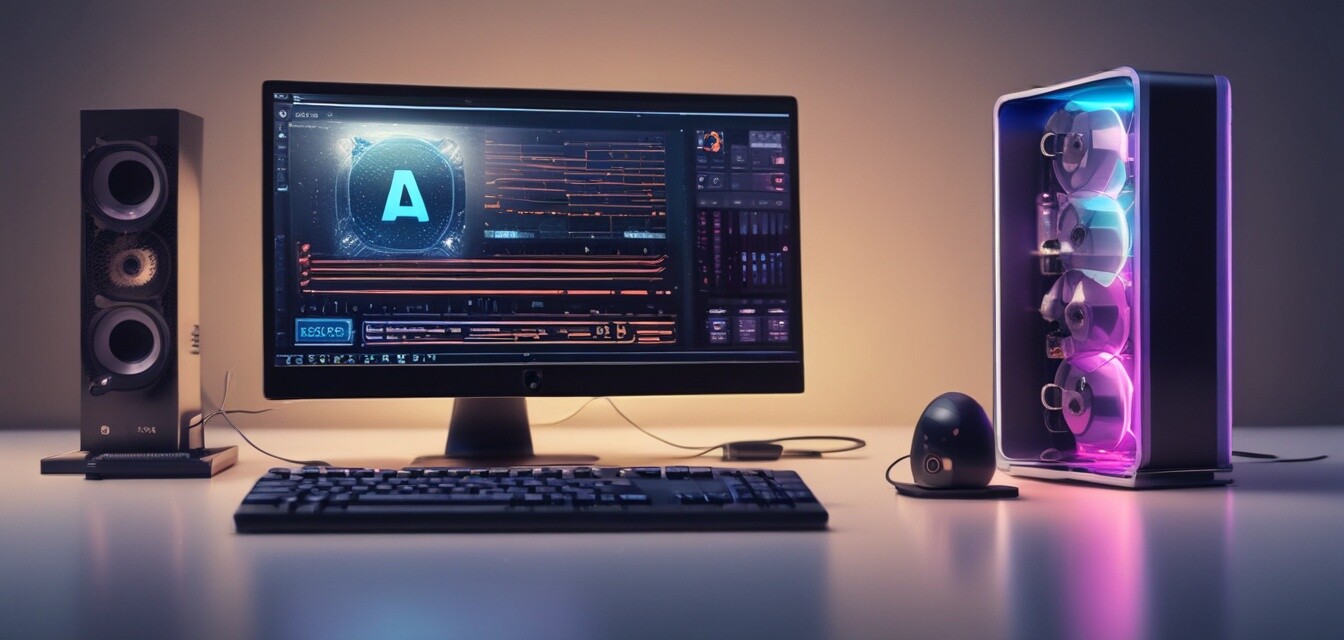
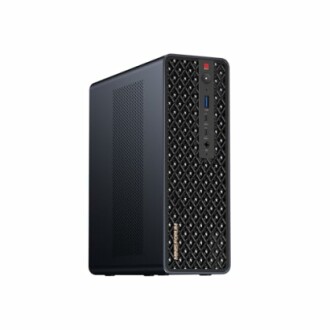
The MINISFORUM MS-S1 MAX is a groundbreaking mini AI workstation PC that is poised to revolutionize the way we think about AI computing. Designed for demanding AI workflows, this powerhouse features a High-Performance APU that integrates a Zen 5 architecture CPU, an RDNA 3.5 GPU, and an NPU, providing unparalleled parallel computing capabilities.
With its sleek and compact design, the MS-S1 MAX is perfect for personal, studio, or rack-mount enterprise environments. Whether you're a professional AI developer, a researcher, or a content creator, this machine is sure to meet your demands and exceed your expectations.
About MINISFORUM MS-S1 MAX
The MINISFORUM MS-S1 MAX is a cutting-edge mini AI workstation PC designed for demanding AI workflows. This powerhouse features a High-Performance APU that integrates a Zen 5 architecture CPU, an RDNA 3.5 GPU, and an NPU, providing unparalleled parallel computing capabilities.
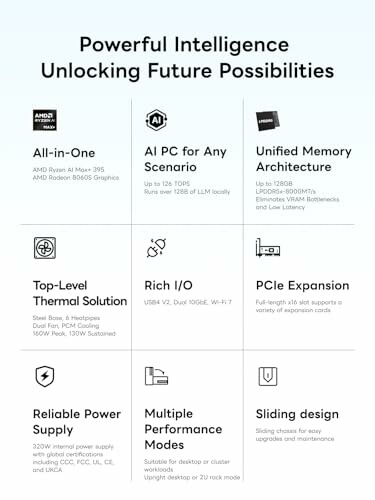
The MS-S1 MAX boasts an impressive array of features that make it an ideal choice for professionals and content creators alike. Some of its key features include:
- High-Performance APU: The MS-S1 MAX features a High-Performance APU that integrates a Zen 5 architecture CPU, an RDNA 3.5 GPU, and an NPU, providing powerful parallel computing capabilities.
- 128GB of LPDDR5x-8000MT/s Unified Memory: The system features 128GB of LPDDR5x-8000MT/s unified memory, eliminating traditional VRAM bottlenecks and ensuring smoother data transfer during high-intensity computations.
- Flexible Expansion: The MS-S1 MAX features Flexible Expansion, including USB4 V2, dual 10GbE LAN, HDMI 2.1, a full-length PCIe x16 expansion slot, and dual M.2 slots supporting up to 16TB RAID 0/1, as well as Wi-Fi 7 for stronger signal coverage and a more stable wireless experience.
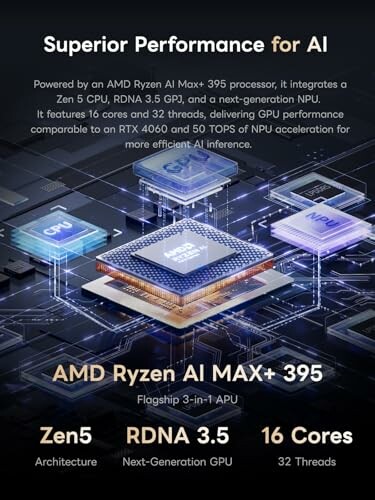
The MS-S1 MAX is powered by the AMD Ryzen AI MAX+ 395 chip, which features AI performance-enhancing technologies that provide a significant boost in performance and efficiency.
For more information on the AMD Ryzen AI MAX+ 395 chip, please visit our AI Graphics Accelerators page.
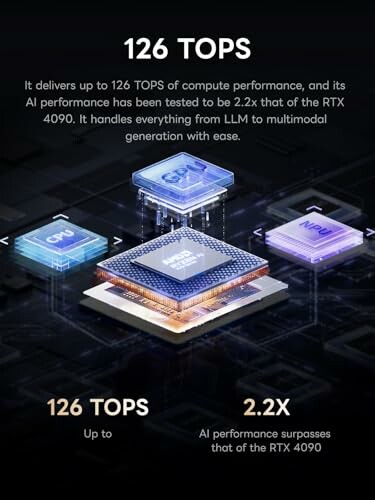
The MS-S1 MAX is designed to provide exceptional performance and efficiency, making it an ideal choice for demanding AI workflows.
For more information on the performance of the MS-S1 MAX, please visit our Mini AI Desktops page.
| Key Features | Details |
|---|---|
| High-Performance APU | Integrates a Zen 5 architecture architecture CPU, an RDNA 3.5 GPU, and an NPU, providing powerful parallel computing capabilities. |
| 128GB of LPDDR5x-8000MT/s Unified Memory | Eliminates traditional VRAM bottlenecks and ensures smoother data transfer during high-intensity computations. |
| Flexible Expansion | Includes USB4 V2, dual 10GbE LAN, HDMI 2.1, a full-length PCIe x16 expansion slot, and dual M.2 slots supporting up to 16TB RAID 0/1, as well as Wi-Fi 7 for stronger signal coverage and a more stable wireless experience. |
Why Choose the MINISFORUM MS-S1 MAX?
Pros
- Exceptional performance with AMD Ryzen AI MAX+ 395, offering 16 cores and 32 threads for demanding tasks.
- 128GB LPDDR5x memory ensures smooth multitasking and eliminates VRAM bottlenecks.
- Flexible expansion options, including dual M.2 slots and a full-length PCIe x16 slot for future upgrades.
- Wi-Fi 7 support provides faster and more stable wireless connectivity, enhancing overall performance.
- Compact design ideal for personal, studio, or enterprise environments, allowing for versatile deployment.
Cons
- Higher investment compared to standard mini PCs, which might not be suitable for budget-conscious users.
- Limited availability in some regions, which may affect purchasing options.
- May require additional peripherals for optimal use, adding to the overall setup cost.
Overall, the MINISFORUM MS-S1 MAX Mini AI Workstation PC stands out with its remarkable performance and flexibility. While it comes with a higher price tag and some availability issues, the benefits far outweigh the drawbacks, making it an excellent choice for professionals in the AI field.
Your Path to AI Excellence Awaits
Tips for Buyers: What to Look For
- Assess your specific AI workload requirements before investing.
- Look for systems with expandable memory and storage options.
- Consider the importance of connectivity features like USB4 and Wi-Fi 7.
- Evaluate the need for a compact design that fits your workspace.
- Avoid overspending on features you may not utilize.
In summary, the MINISFORUM MS-S1 MAX Mini AI Workstation PC shines with its exceptional performance, ample memory, and flexible expansion capabilities. While it requires a larger investment compared to standard mini PCs, the advanced features and speed it offers make it a worthy contender for professionals in the AI field.
However, potential buyers should be mindful of the limited availability in some regions and the possibility of needing additional peripherals for a complete setup. The MS-S1 MAX is designed to cater to demanding AI workflows, making it a fantastic choice for AI developers and content creators.
Ultimately, if you are looking for a powerful, reliable, and compact AI workstation, the MINISFORUM MS-S1 MAX is a strong recommendation that promises to elevate your computing experience.
Check Current Price